Disclosure: When you buy something through links on our site, we may earn an affiliate commission.
How many times do you open the same applications, repeat keyboard shortcuts, or switch between windows during a typical workday?
Those small actions might not seem like much, but they add up. If you regularly work with multiple applications, manage online meetings, create content, or perform repetitive computer tasks, having a simpler way to control your workflow can be useful.
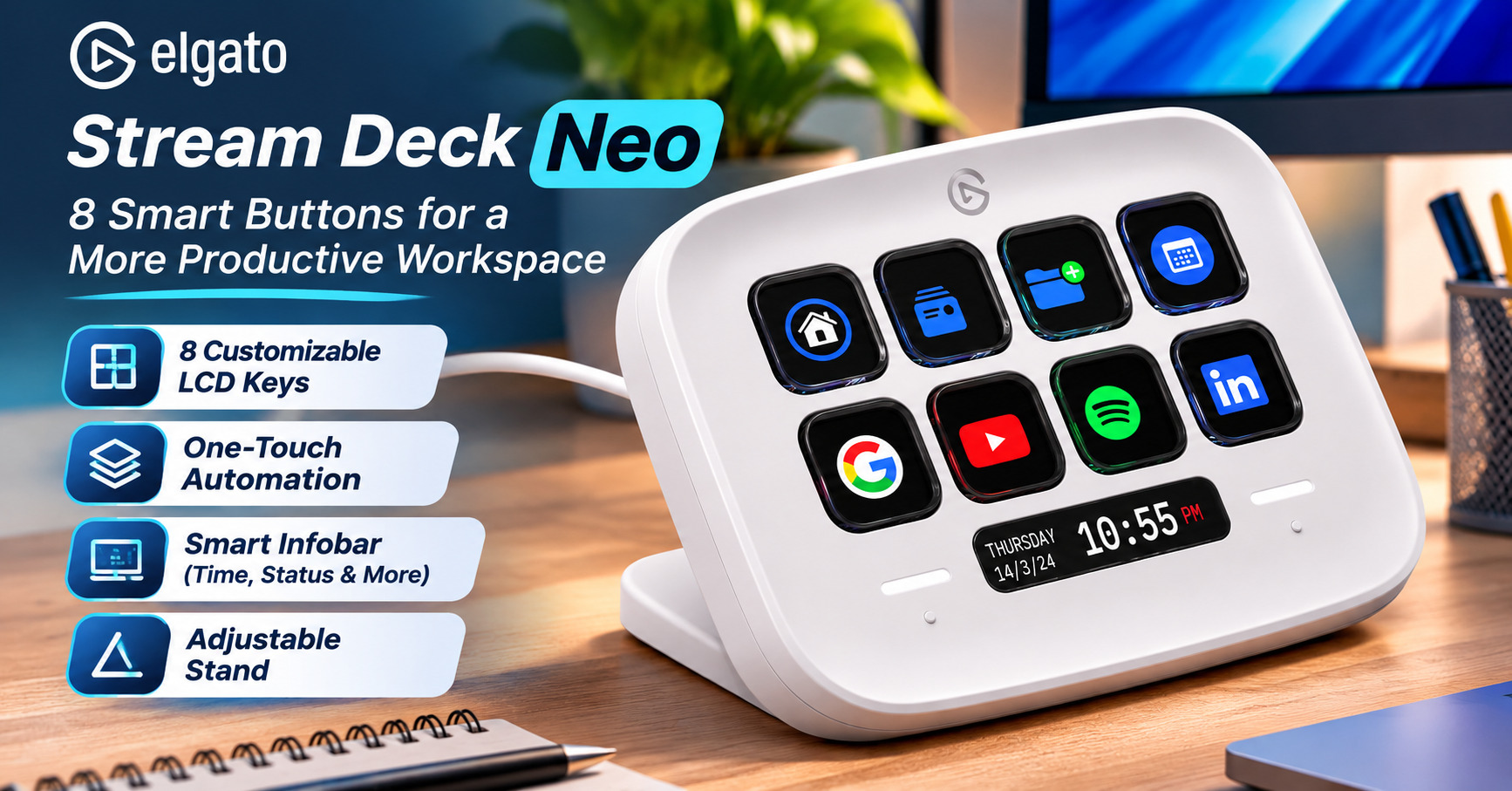
The Elgato Stream Deck Neo is a compact desktop shortcut controller designed to make everyday computer tasks easier. With eight customizable LCD keys, a convenient information display, and dedicated page-navigation controls, it puts frequently used actions within easy reach.
Although Stream Deck devices are popular among streamers and content creators, the Neo is also designed for everyday productivity.
Here’s what it offers, how it works, and what to consider before buying.
Disclosure: As an Amazon Associate, we earn from qualifying purchases.
What Is the Elgato Stream Deck Neo?
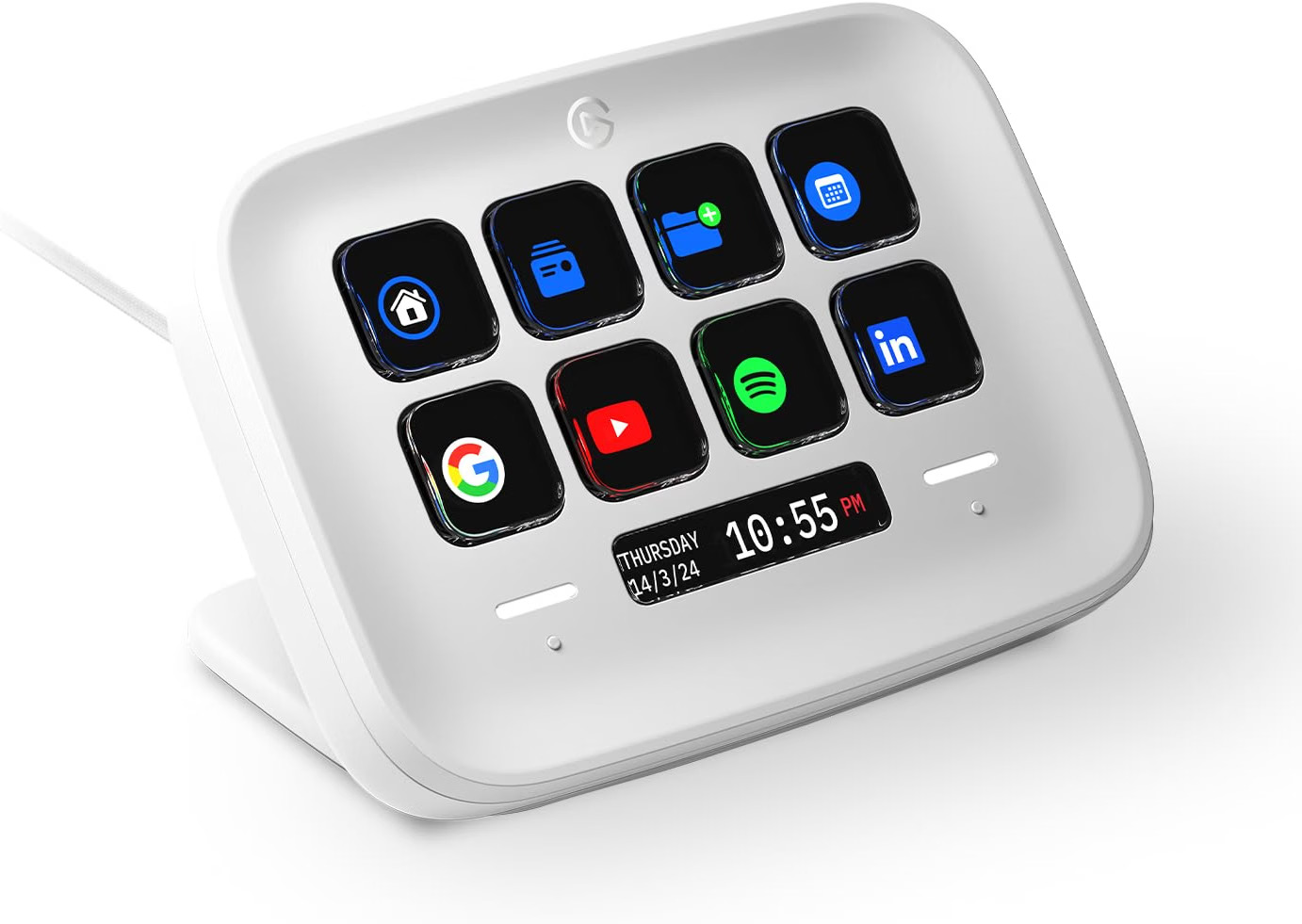
The Elgato Stream Deck Neo is a programmable desktop controller that connects to a compatible Windows or Mac computer using USB-C.
It features eight physical buttons with individual LCD displays. Instead of having fixed functions, each button can be assigned a shortcut, application command, or automated action.
For example, you could configure one button to open your email application, another to mute your microphone, and another to launch a frequently used website.
The device works with Elgato’s free Stream Deck software, which lets you customize its buttons through a drag-and-drop interface.
Key Features of the Elgato Stream Deck Neo
1. Eight Customizable LCD Keys
The most important feature is its set of eight programmable LCD buttons.
Each button can display a customized icon and perform an assigned action.
Depending on the application and available integrations, you can configure buttons to:
- Launch frequently used applications.
- Open websites and folders.
- Perform keyboard shortcuts.
- Control compatible meeting applications.
- Manage media playback.
- Trigger automation sequences.
- Control compatible streaming software.
Because the buttons have LCD displays, their appearance can change when you switch between different profiles or pages.
This makes the device more flexible than a conventional keyboard with fixed shortcut labels.
2. One-Touch Workflow Automation
One of the most useful capabilities is the ability to combine several actions into a single button press.
Elgato calls this feature Multi Actions.
For example, a configured workflow could launch multiple applications, open a website, and prepare your workspace.
The exact actions available depend on your operating system, installed software, and compatible integrations.
For people who repeat the same sequence of computer tasks every day, this can reduce manual steps.
3. Customizable Infobar
Below the eight buttons is a small LCD display called the Infobar.
It can display useful information, including a digital clock or page-navigation information.
Depending on software support and compatible integrations, additional information may also be available.
The Infobar is particularly convenient because you can view certain information without opening another application.
4. Two Touch Points for Page Navigation
The Stream Deck Neo includes two touch-sensitive controls positioned beside the Infobar.
These Touch Points allow you to switch between different button pages.
That means you’re not limited to eight total actions.
You can create additional pages containing different shortcuts and navigate between them.
For example:
- Page 1: Everyday office applications.
- Page 2: Online meeting controls.
- Page 3: Content creation tools.
- Page 4: Website development shortcuts.
This provides flexibility without increasing the physical size of the device.
5. Easy Drag-and-Drop Customization
Elgato provides free Stream Deck software for configuring the Neo.
You can assign actions to buttons using a visual interface.
The software also supports profiles, folders, plugins, and customized icons.
This allows you to organize shortcuts around different applications or workflows.
For example, you could create separate profiles for office work, video editing, streaming, and web development.
Some integrations require additional plugins or application permissions.
6. Compact Design With Adjustable Stand
The Stream Deck Neo is designed to occupy relatively little desk space.
Its integrated stand offers three positioning options, allowing you to choose a comfortable viewing angle.
The stand is built into the device and cannot be removed.
The Neo is available in white and black finishes, although availability varies by retailer.
7. USB-C Connection
The Stream Deck Neo connects through a fixed USB-C cable.
The included braided cable is approximately 90 cm (35 inches) long.
Because it is a wired device, it does not require battery charging.
However, it must remain connected to a compatible computer to operate.
The cable cannot be detached from the controller.
Elgato Stream Deck Neo Specifications
| Specification | Details |
|---|---|
| Brand | Elgato |
| Product | Stream Deck Neo |
| Amazon ASIN | B0CVY4566H |
| Programmable Keys | 8 LCD keys |
| Additional Controls | 2 Touch Points |
| Display | Customizable Infobar |
| Connection | USB-C 2.0 |
| Cable Length | 90 cm / 35 inches |
| Dimensions | 107 × 26 × 78 mm |
| Weight | 210 g / 0.46 lb |
| Stand | Integrated, 3 positions |
| Software | Elgato Stream Deck |
| Supported Platforms | Compatible Windows and macOS computers |
| Colors | White and black variants |
Operating-system requirements can change with Stream Deck software updates. Check Elgato’s current compatibility information before purchasing.
Practical Ways to Use the Stream Deck Neo
For Office Workers
Office workers can use the Neo to launch applications, open documents, control compatible meeting software, and perform frequently used keyboard shortcuts.
A customized button layout can reduce repetitive navigation between applications.
For Content Creators
Content creators can configure shortcuts for video editing, recording, streaming, and media management.
For example, compatible software may allow buttons to control recording functions or switch between scenes.
For Programmers and Web Developers
Developers can use the Stream Deck Neo to launch code editors, open project folders, access development websites, or trigger configured commands.
It’s particularly useful for people who regularly switch between several tools during development.
For Remote Workers
Remote workers can create shortcuts for meeting controls, communication tools, and everyday productivity applications.
For example, a button could be configured to mute or unmute a microphone in supported meeting software.
For Streamers
The Stream Deck Neo supports workflows involving compatible streaming applications.
Users can assign buttons for scene changes, audio controls, and other supported streaming actions.
Advantages of the Elgato Stream Deck Neo
Customizable controls: Eight LCD buttons can be assigned to different tasks.
Expandable layouts: Pages, folders, and profiles allow access to more than eight actions.
Workflow automation: Multi Actions can combine supported commands.
Compact design: The controller occupies relatively little desk space.
Simple configuration: Drag-and-drop software makes basic setup approachable.
Useful Infobar: Provides convenient access to selected information.
Versatile applications: Suitable for productivity, content creation, and streaming.
Potential Limitations
Only Eight Physical Buttons
Although additional pages are supported, the Neo has eight physical LCD keys.
Users who want more commands visible simultaneously may prefer a larger Stream Deck model.
Requires a Computer
The Stream Deck Neo is not a standalone automation device.
It must be connected to a compatible computer running the required software.
No Wireless Connectivity
The Neo uses a wired USB-C connection.
It does not offer Bluetooth or Wi-Fi operation.
Fixed USB-C Cable
The integrated cable cannot be detached.
This may be inconvenient for users who prefer replaceable cables or frequently reorganize their desks.
Some Integrations Require Additional Setup
Although basic shortcuts are straightforward, advanced automation may require plugins, permissions, or additional configuration.
Not Every Task Needs Dedicated Hardware
Many basic actions can already be performed using keyboard shortcuts.
If your workflow is simple, the benefits of a dedicated shortcut controller may be limited.
Stream Deck Neo vs. Traditional Keyboard Shortcuts
| Feature | Stream Deck Neo | Keyboard Shortcuts |
|---|---|---|
| Custom LCD icons | Yes | Usually no |
| Physical shortcut buttons | 8 dedicated keys | Uses existing keyboard |
| Multiple profiles | Yes | Depends on software |
| Multi-step automation | Supported | Usually requires extra software |
| Additional hardware | Required | Not required |
| Setup | Stream Deck software | Usually minimal |
| Cost | Additional purchase | Included with keyboard |
The Stream Deck Neo doesn’t replace your keyboard. Instead, it provides a visual control surface for actions you use frequently.
Who Should Consider Buying the Stream Deck Neo?
The Stream Deck Neo is worth considering for:
- Remote workers who regularly use several applications.
- Content creators who need convenient shortcuts.
- Streamers who control compatible broadcasting software.
- Programmers and web developers with repetitive workflows.
- Office professionals who frequently use online meetings.
- Productivity enthusiasts interested in desktop automation.
It may be less useful for people who only perform basic computer tasks and rarely use shortcuts.
Is the Elgato Stream Deck Neo Worth Buying?
The Stream Deck Neo offers an accessible introduction to programmable desktop controllers.
Its eight customizable LCD buttons, Infobar, page navigation, and automation capabilities make it an interesting accessory for people who want to simplify repetitive tasks.
The main advantage isn’t that it performs functions unavailable on a normal computer. It’s that it makes frequently used actions easier to access and organize.
For professionals who regularly switch between applications or repeat multi-step workflows, that convenience may justify the additional hardware.
However, users who need more physical controls or advanced hardware features should compare other Stream Deck models before purchasing.
Frequently Asked Questions
Does the Stream Deck Neo work without a computer?
No. It requires a compatible computer and Stream Deck software.
Can I use it for Microsoft Teams or Zoom?
The Neo can control supported meeting functions through compatible integrations. Available actions depend on the application and installed software.
Does it have only eight shortcuts?
No. It has eight physical LCD keys, but you can create additional pages, folders, and profiles.
Is the Stream Deck Neo wireless?
No. It uses a wired USB-C connection.
Can I customize the button icons?
Yes. The LCD keys support customized icons through Stream Deck software.
Can I use it for programming?
Yes. You can configure shortcuts for development applications, project folders, websites, and supported commands.
Does it require a subscription?
Basic Stream Deck software is available as a free download. Some third-party services or integrations may have separate requirements.
Final Thoughts
The Elgato Stream Deck Neo is a compact productivity accessory designed to make everyday computer tasks more convenient.
With eight customizable LCD keys, a configurable Infobar, touch-sensitive page controls, and support for automation, it offers useful flexibility for professionals and creators.
It’s especially worth considering if you frequently perform repetitive actions or manage several applications throughout the day.
Before purchasing, check your computer’s compatibility and consider whether eight physical keys are enough for your preferred workflow.
Check the Elgato Stream Deck Neo on Amazon
Explore the latest product specifications, customer feedback, availability, and pricing.
[Check Price and Availability on Amazon]
Affiliate disclosure: As an Amazon Associate, we earn from qualifying purchases. We may receive a commission from qualifying purchases made through our affiliate links, at no additional cost to you.